

Let’s face it — writing code efficiently can be challenging. Even experienced developers spend a lot of time on repetitive tasks, boilerplate code, and debugging. That’s where Tabnine AI comes in.
After testing it ourselves, what we loved most is how Tabnine acts as an AI-powered coding assistant, predicting your next lines of code, suggesting improvements, and helping you maintain cleaner, faster code. Unlike standard code editors, Tabnine goes beyond autocomplete, offering context-aware suggestions across multiple languages and frameworks.
In this review, we’ll cover what Tabnine is, its main features, pros and cons, pricing, and how to start using it effectively.
What is Tabnine?

Tabnine is an AI-driven code completion tool designed to assist developers in writing code more efficiently. Integrated into popular IDEs like VS Code, JetBrains IDEs, Sublime Text, and Neovim, Tabnine uses AI to understand your coding context and suggest entire lines or blocks of code.
It supports multiple languages and frameworks, making it ideal for both beginner and professional developers.
Key Features of Tabnine
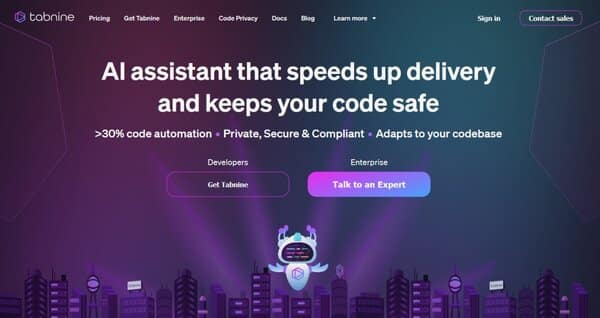
- Context-Aware Code Suggestions: Predicts your code intelligently based on the surrounding context.
- Multi-Language Support: Works with Python, JavaScript, Java, C++, Go, and more.
- IDE Integration: Seamlessly integrates with VS Code, JetBrains, Sublime Text, and other popular editors.
- AI-Powered Autocompletion: Completes lines, functions, and even larger code snippets.
- Custom AI Models: Option to train Tabnine on your own codebase for personalized suggestions.
- Team Collaboration: Helps teams maintain consistency in coding standards.
Why We Enjoyed Tabnine
The part we enjoyed most is how it significantly speeds up coding workflows while reducing mental load. Tabnine handles repetitive coding tasks, allowing developers to focus on problem-solving and logic.


Other highlights include:
- Productivity Boost: Reduces the time spent writing boilerplate code.
- Learning Tool: Suggests best practices and helps junior developers learn coding patterns.
- Error Reduction: Offers syntactically correct suggestions that minimize mistakes.
- Versatile: Supports a wide range of programming languages and frameworks.
Areas for Improvement
- Subscription Required for Full Features: Some advanced AI capabilities are part of paid plans.
- Occasional Incorrect Suggestions: AI may provide inefficient or incorrect code; always review.
- Not a Replacement for Human Logic: Developers must validate suggestions.
How to Access and Use Tabnine
Getting started with Tabnine is straightforward:
- Sign Up or Download: Visit Tabnine.com and choose your plan.
- Install in Your IDE: Compatible with VS Code, JetBrains IDEs, Sublime Text, and others.
- Enable Tabnine: Activate it within your IDE settings.
- Start Coding: Type code and receive AI-powered suggestions for lines or blocks.
- Customize (Optional): Train Tabnine on your own codebase for personalized completions.
💡 Pro tip: Use Tabnine as a coding coach — review its suggestions to learn new patterns and improve your coding skills over time.
Tabnine AI Tools are a must-have for developers who want to code faster, smarter, and more efficiently. With context-aware suggestions, multi-language support, and customizable AI models, it’s a game-changer for both individual developers and teams.
Our favorite part? How Tabnine reduces repetitive tasks while helping developers learn better coding practices — making every coding session more productive and educational.
You Might Also Like;









